Computers and hardware devices are a core part of any business these days, helping to get all routine work done. Whether it’s desktop and laptop setups, or printers servers networks or disks, the hardware part remains a crucial aspect of the business workflow. But what if your hardware system experiences a sudden breakdown? It may result in the company’s shutdown, critical document loss, and operation stoppage. Preventive maintenance of computer hardware allows a company to detect problems before they arise and maintain efficient running of their IT devices.
What Is Preventive Computer Hardware Maintenance?
Preventive computer hardware maintenance comprises checking and identifying problems on the regular before they lead to failure of the equipment. It is more efficient to carry out the maintenance on a regular basis rather than just reacting after a breakdown.
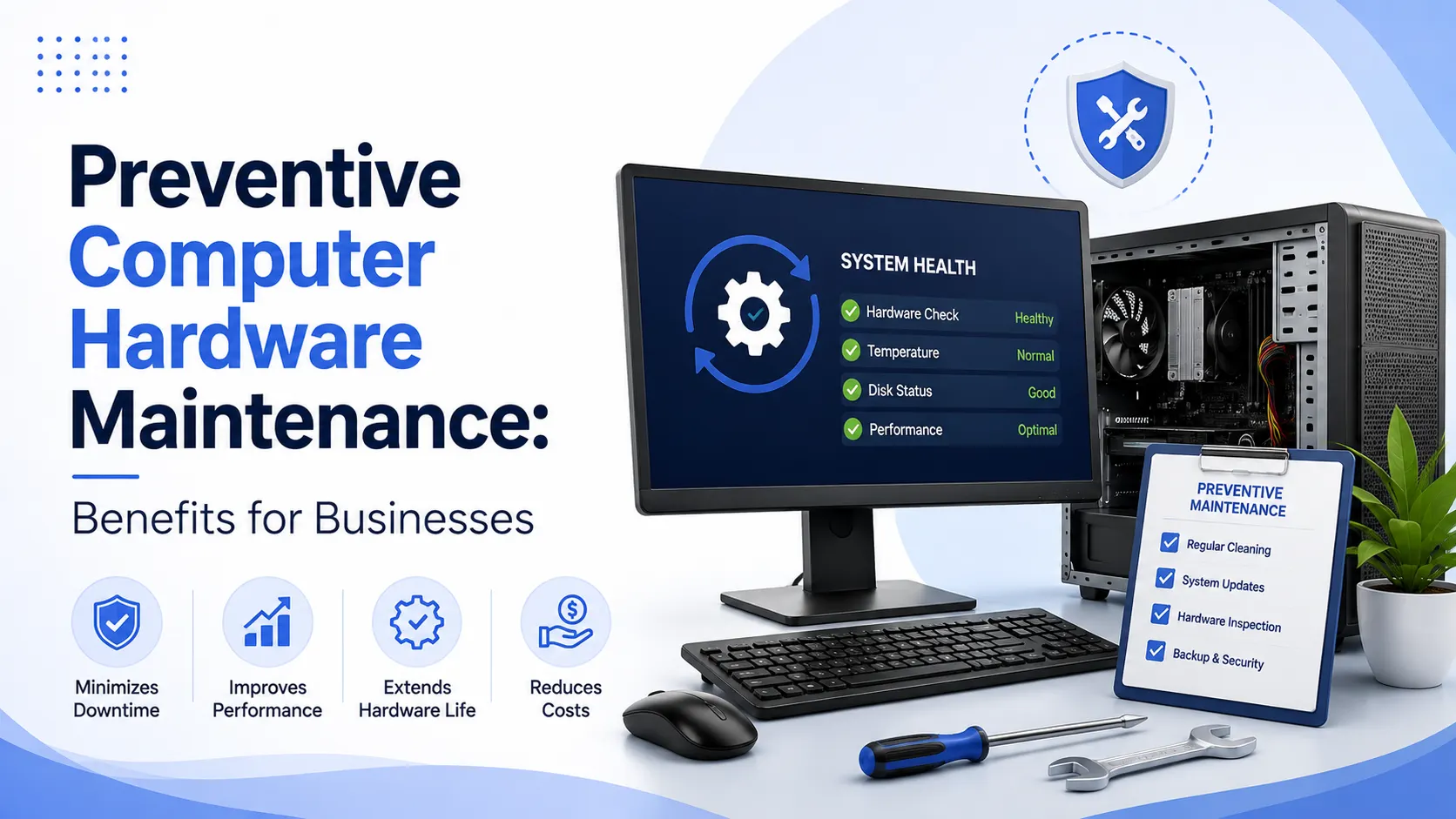
Maintenance work covers the cleaning of internal parts, checking cables and connectors, watching hardware performance, testing storage systems, checking cooling systems, carrying out device component upgrades as needed, and inspecting peripherals.
Benefits of Preventive Computer Hardware Maintenance
1. Reduces Unexpected Downtime
Damaged hardware could disrupt essential company operations and processes. With the aid of regular checks, problems such as broken parts overheating storage concerns, and other similar problems which might mean a malfunction of the whole system could be detected and resolved early. In that case, companies could minimize unnecessary downtimes.
2. Extends Hardware Lifespan
Computers are often put through various wear and tear. That is because not just dirt, but also excess heat, old components and incorrect use of them. If you dust them at regular intervals, inspect them and service them, you will not only preserve the physical condition of your computers but also probably extend their period of use.
3. Reduces Repair Costs
Hasty or unexpected fixing of hardware could turn out costlier and in the situation, for example, when several computers are on the failure verge simultaneously Companies can use preventive maintenance to track and resolve small issues before costly hardware repairs or replacements become the way out.
4. Improves Computer Performance
Insufficient air flow and storage, broken parts, and dust that accumulates over time can cause a computer system to run inefficiently if not handled timely and appropriately. Regular computer system maintenance helps in running the PCs smoothly, this way enhancing the employees’ work experience.
5. Supports Business Productivity
Employees are reliant on the functioning of computers to perform their tasks. When computer hardware is often causing issues, the level of the staff output will probably go down and hours will be wasted. A good state of the computers is an assurance of a well functioning workstation environment.
6. Improves Hardware Reliability
Besides the routine hardware testing, there is the aspect of equipment monitoring as to the health of devices. Through the two, it becomes relatively simple for the organization to pinpoint machines that are past their prime, and schedule replacements before the devices turn into a crisis that can only be addressed at a heavy cost of operations.
Frequently Asked Questions
1. How often should computer hardware maintenance be performed?
The number of maintenance sessions is determined by the number of computers that the business uses, their location, usage, and the type of equipment.
Many computer users and companies usually organize periodic hardware maintenance activities several times a year.
2. What is included in computer hardware maintenance?
In general, such a service covers cleaning up the computer area, diagnosing possible problems, inspecting all computer components, checking the cables, monitoring the computer’s temperature level, verifying the health of the storage device, and identifying any possible hardware problems that have not yet appeared.
3. Is preventive maintenance better than emergency computer repair?
Preventive maintenance is an early detection of potential failures whereas emergency maintenance is fixing broken equipment. Preventive maintenance allows you to avoid the risks of having your computers down which can result in the loss of business opportunities and also save you from high costs of emergency repair.
4. How much does computer hardware maintenance cost?
Cost varies according to the number of devices, type of hardware, maintenance frequency, service coverage, and whether the business prefers a la carte services or signs an AMC contract.
5. Should small businesses use professional hardware maintenance services?
Absolutely. Hiring an IT professional to maintain the company’s computers can keep business computers in a state of good health so there is no need for a big in-house IT department for a small business.
Conclusion
Preventive hardware upkeep is quite an underrated element in the overall health and sustainability of your business IT environment. Periodic checks dusting fault finding, and repair work can Really diminish the need for emergency fixes, enhance the running speed of your machines, and even prolong the life of your computers, resulting in huge cost savings.
To maintain a well-functioning IT system that doesn’t interfere with the workflow of business, it is a sound business idea to make the necessary changes to the current maintenance strategy or partner with a Computer & Hardware Support Services provider that would guarantee your hardware’s reliability over the years and let the employees concentrate on their main jobs without interruptions.